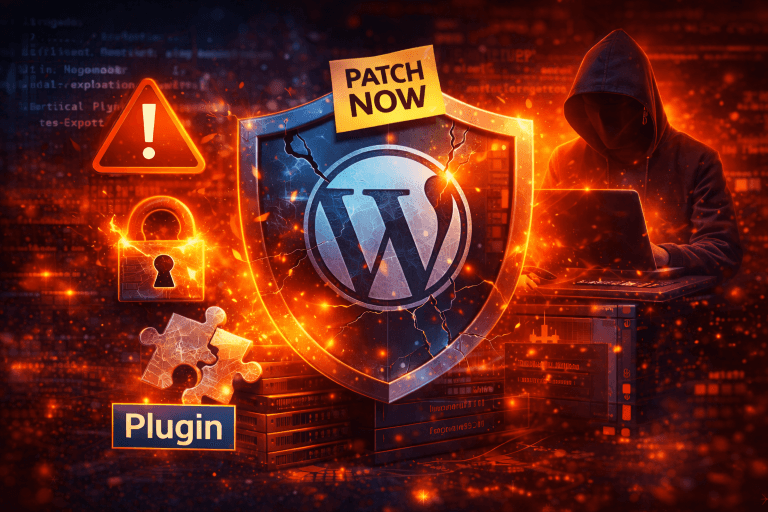

WordPress Sites at Takeover Risk: Critical Plugin Flaw Exploited in the Wild—What to Patch Right Now
WordPress remains the most popular content management system (CMS) on the internet, powering millions of websites around the world. However, its vast ecosystem of third-party plugins—which extends functionality—can also become its greatest vulnerability. In mid-January 2026, security researchers confirmed that a critical flaw in the WordPress Modular DS plugin is being actively exploited in the wild, putting tens of thousands of sites at risk of complete takeover if left unpatched. (The Hacker News)
This incident highlights the ongoing importance of plugin hygiene, timely patching, and robust security practices for site owners, developers, and hosting providers.
What’s Happening: The Modular DS Plugin Flaw
Critical Vulnerability CVE-2026-23550
A severe vulnerability, tracked as CVE-2026-23550, has been discovered in the Modular DS WordPress plugin. This flaw allows unauthenticated attackers to bypass authentication completely and gain administrator-level access to affected WordPress sites. (The Hacker News)
According to security reporting sources, the flaw resides in how the plugin handles API routing and authentication logic. By sending specially crafted HTTP requests to exposed endpoints, cybercriminals can trigger a privilege escalation that grants full admin access without credentials. Once inside, attackers can upload malicious content, install malware backdoors, deface sites, or redirect user traffic to malicious domains. (Rescana)
How Widespread Is the Risk?
Modular DS has over 40,000 active installations, meaning a large number of WordPress sites are potentially exposed. Exploitation was first detected in active campaigns on January 13, 2026, suggesting automated scanning and attack tools are already identifying and compromising vulnerable sites. (The Hacker News)
This rapid escalation from public disclosure to real-world attacks is a stark reminder that attackers often weaponize vulnerabilities within hours of news breaking.
Why This Flaw Is So Dangerous
Full Admin Privileges Without Login
Admin privileges on a WordPress site provide unrestricted control over content, user accounts, plugins, themes, and settings. Once an attacker gains this access, they can:
- Create unauthorized admin accounts
- Upload malware or phishing pages
- Modify or delete content
- Hijack SEO rankings or traffic
- Pivot to deeper server-level compromise (Rescana)
This makes the vulnerability particularly potent, especially when exploited at scale.
No Authentication Needed
Unlike many flaws that require a logged-in user or specific conditions, this vulnerability requires no authentication at all. Attackers simply send a crafted HTTP request to the vulnerable endpoint and can immediately escalate to admin level. (Patchstack)
This “remote, unauthenticated privilege escalation” is one of the most severe types of vulnerabilities a CMS site can face, earning it a maximum CVSS severity score. (Patchstack)
https://goldenraysnews.com/google-issues-major-scam-warning/
Immediate Steps to Patch and Protect
1. Update the Modular DS Plugin
The most urgent action site owners can take is to update the Modular DS plugin to the latest patched version (2.5.2 or newer). Plugin developers released this patch after responsible disclosure and confirmation of active exploitation. (TechRadar)
Updating immediately is critical—every moment your site runs a vulnerable version increases the risk of compromise.
2. Audit Administrator Accounts
After patching, review all WordPress admin and high-privilege user accounts:
- Remove any unknown or suspicious users
- Reset passwords for all legitimate admin users
- Regenerate security tokens and authentication keys
This step helps ensure that any unauthorized accounts created during the exploitation window are eliminated.
3. Scan for Indicators of Compromise
Look for signs of a compromised site, such as:
- Unexpected redirects or spam content
- Unknown files or plugins
- Sudden SEO ranking changes
- Unusual outbound traffic patterns
Using security scanners or malware detection tools can help automate this process.
4. Harden WordPress with a Web Application Firewall
Deploy or update a Web Application Firewall (WAF) to block exploitation patterns that target plugin vulnerabilities. Configuring WAF rules can prevent malicious requests from reaching vulnerable endpoints.
https://goldenraysnews.com/sonicwall-breach-expands/
Why Plugins Are a Frequent Target
Plugins Expand Attack Surfaces
Plugins are designed to extend WordPress’s capabilities, but each additional plugin increases the potential attack surface. As noted in past cybersecurity research, WordPress extensions often contain vulnerabilities because they are developed by many independent authors with varying security resources. (arXiv)
Attackers often monitor plugin repositories for new releases and review changelogs to spot security oversights. The Modular DS flaw underscores how a single missing authentication check in a plugin can undermine an entire website.
Other Recent Exploited Plugin Flaws
WordPress plugin vulnerabilities aren’t new. In previous months, other high-risk flaws have emerged and been exploited, such as:
- Post SMTP plugin flaw, affecting hundreds of thousands of sites, enabling account takeovers. (SecurityWeek)
- King Addons for Elementor vulnerability, exploited to grant unauthorized admin privileges. (SecurityWeek)
These incidents collectively demonstrate that active exploitation of WordPress plugin vulnerabilities is a persistent, real-world threat.
https://goldenraysnews.com/explore-financial-opportunities-with-chatgpt-insights/
Best Practices to Reduce Future Risk
Keep Everything Updated
Ensure WordPress core, themes, and plugins are kept up to date. Enable automatic updates where possible so critical patches are applied without delay.
Minimize Installed Plugins
Only install plugins that are essential and actively maintained. Remove outdated or abandoned plugins, as they are more likely to harbor unpatched vulnerabilities.
Use Security Plugins and Monitoring
Security plugins can monitor file integrity, block suspicious traffic, and alert you to broken login attempts or unauthorized changes.
Educate Site Administrators
Ensure anyone with admin or editorial access understands basic security practices, such as using strong passwords and avoiding risky third-party extensions.
Conclusion: Patch Now, Don’t Wait
The active exploitation of a critical flaw in the Modular DS WordPress plugin serves as a stark reminder that WordPress plugin vulnerabilities can lead to complete site takeover if not addressed promptly. With tens of thousands of sites at risk and attackers already in the wild, patching, auditing, and hardening your WordPress installation should be a top priority right now.
Every site owner and developer should treat plugin updates not as optional enhancements but as essential security maintenance. Act now to safeguard your website, data, and users from exploitation.









17 comments
Morning☕
Thanks 🍀
Thanks.
Done
🥰thanks .
Thanks for sharing author
Thanks for sharing knowledge.
Thanks million 😊
Thanks
Thanks
Thanks for sharing ✨
Thanks for the information
Useful information 👍🏻👍🏻👍🏻
Useful information 👍🏻👍🏻👍🏻
Thanks for Knowledge
So grateful 🥰
28-1-26
Thanks